










Run your entire IT asset lifecycle in Jira

Manage IT assets from acquisition to disposal. Keep inventory and ownership connected to Jira workflows.

4.7/5 on the Atlassian Marketplace
Works with every Jira project type Jira Cloud and Data Center
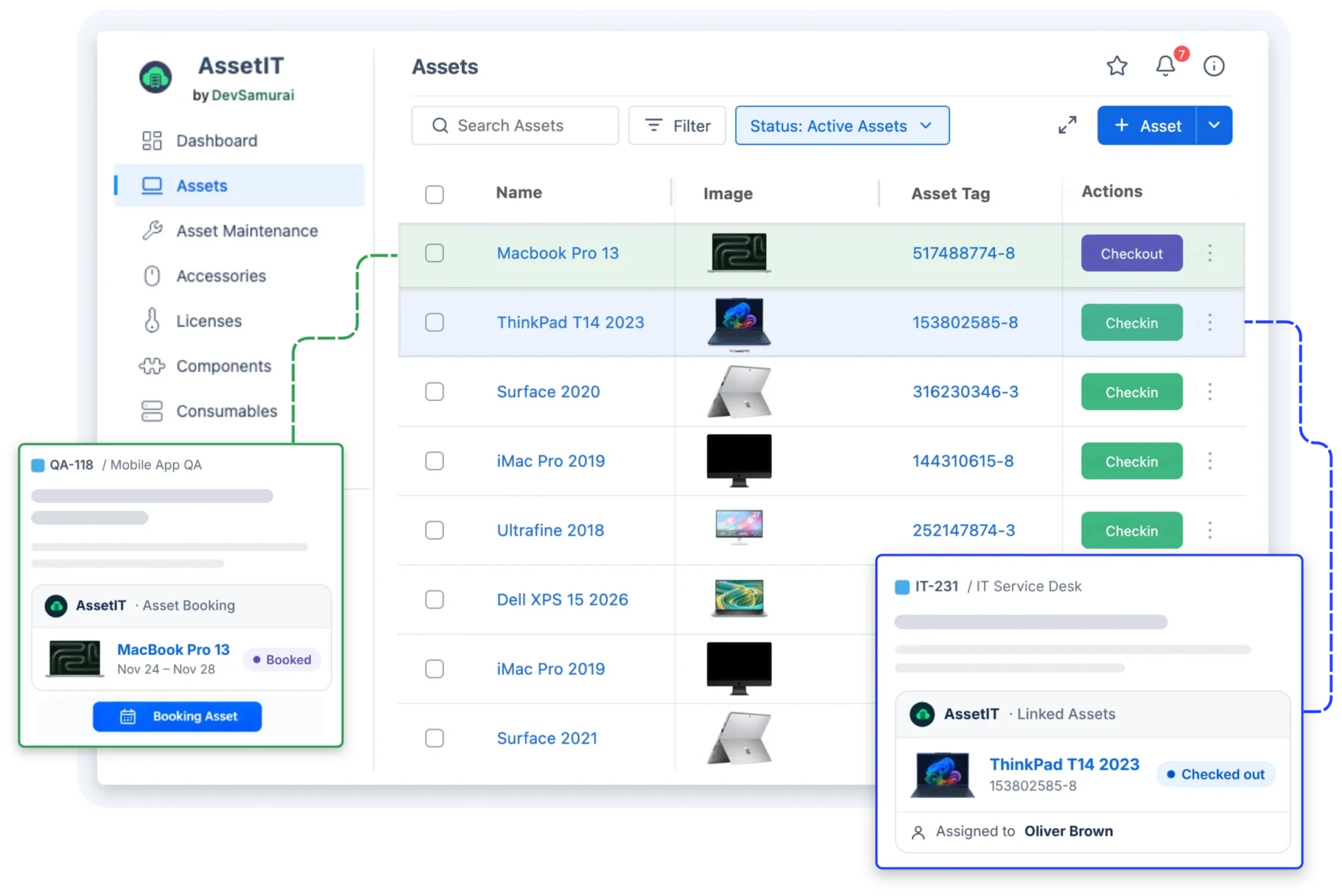
AssetIT Assets list in Jira, with a MacBook Pro booked from Jira work item QA-118 and a ThinkPad checked out to Oliver Brown from ticket IT-231

Trusted by Jira teams worldwide, with 1,500+ installs on the Atlassian Marketplace

  • Gulf Air
  • Scout
  • smart
  • ShopBack
  • Omniva
  • COSTIM
  • Christian Louboutin
  • LAFISE
  • NiSource
  • Tallgrass

You lose track of IT assets every time they change hands

Nobody records what happens between procurement, assignment and disposal.

Spreadsheets go out of date

Asset details sit in a sheet outside Jira and fall behind.

A full CMDB takes too much to run

Object schemas take a project to set up and maintain.

A record ≠ A lifecycle

Your team ends up chasing people, while devices go missing and licenses go unused.

Manage the asset lifecycle
without leaving Jira

Every feature works where your team already handles requests: in Jira work items, service tickets and Jira Automation.

Keep your IT inventory in Jira

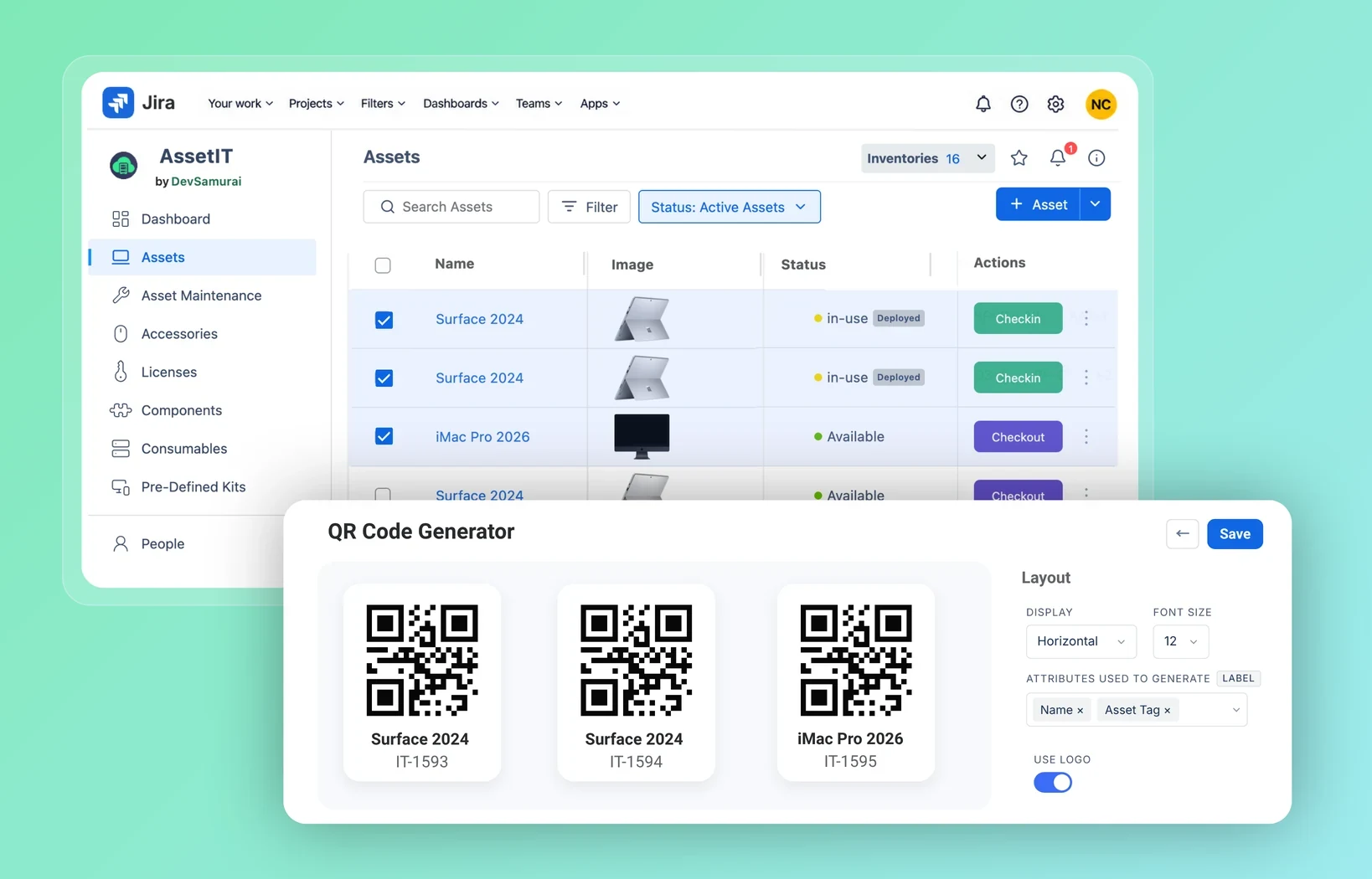
  • Track hardware, licenses and consumables.
  • Print QR labels to find any asset fast.
  • Import devices from Intune, Jamf or CSV.

Assign assets from any work item

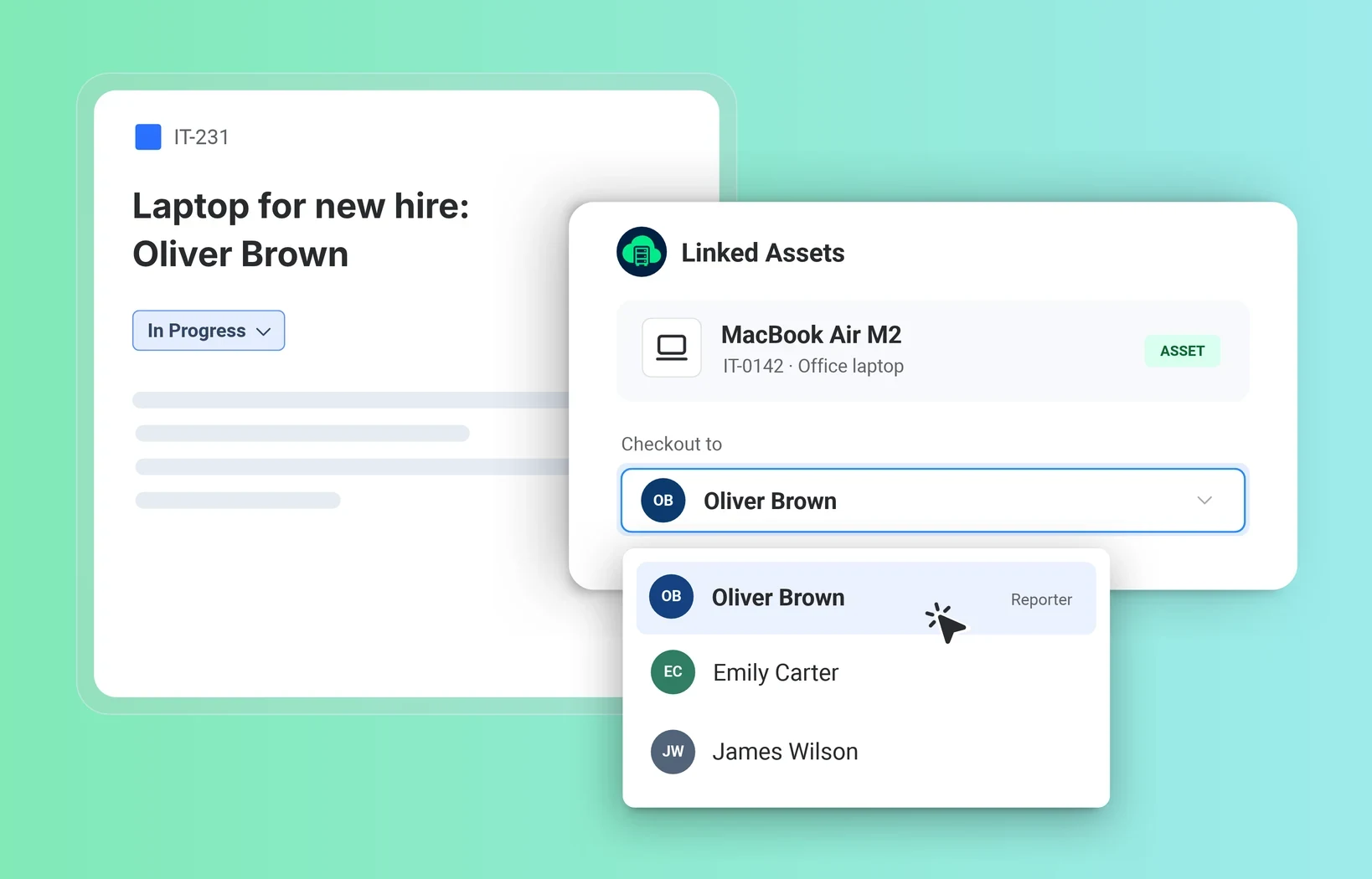
  • Link assets to any Jira work item.
  • Check assets out from the Linked Assets panel.
  • See each asset’s owner and status in place.

Book equipment from any ticket

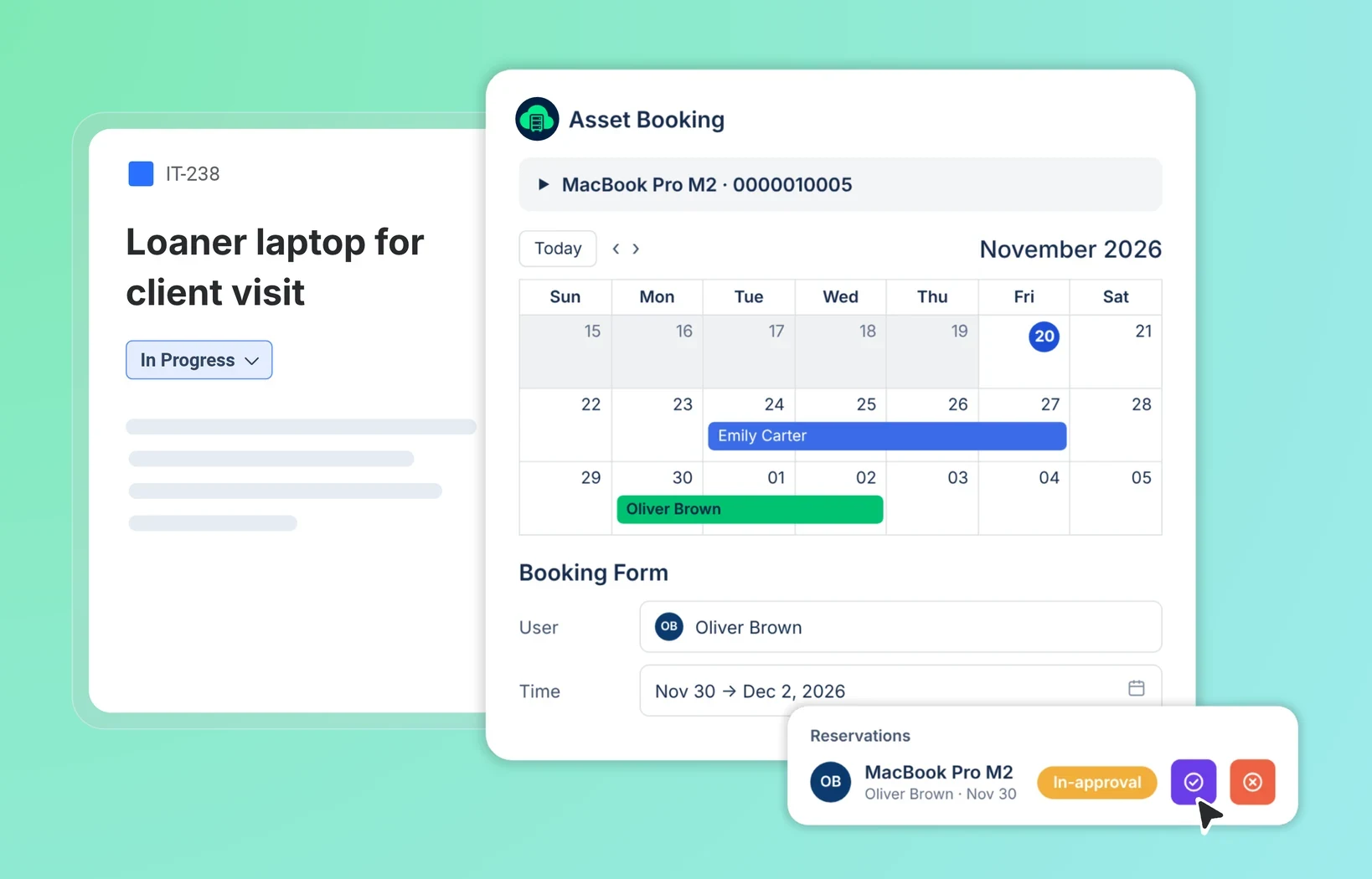
  • Book or reserve equipment from a Jira ticket.
  • See every booking on one shared calendar.
  • Approve or decline reservation requests.

Verify who holds every asset

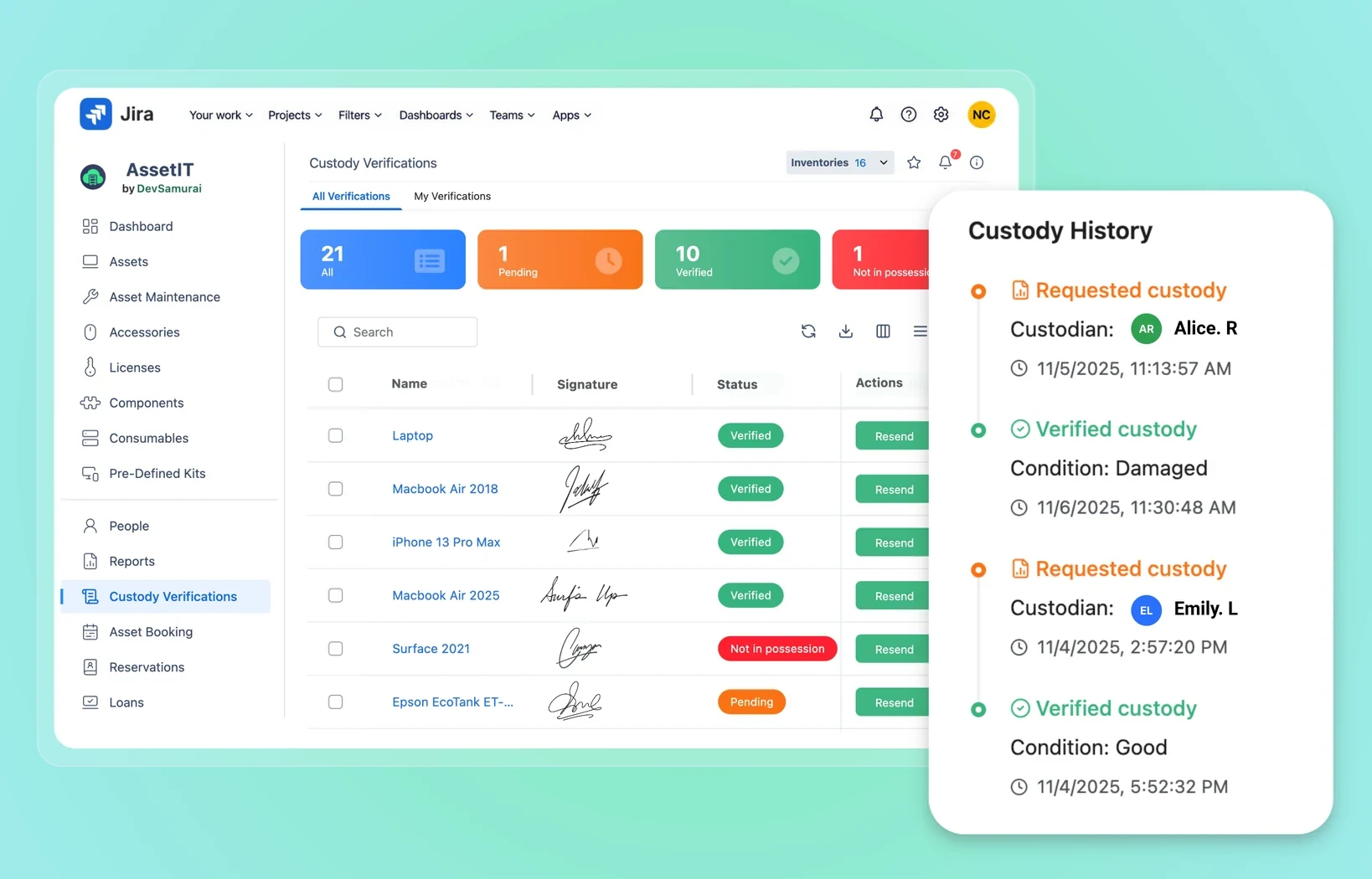
  • Ask holders to confirm custody with a signature.
  • Track pending and verified checks at a glance.
  • Keep condition and custody history on record.

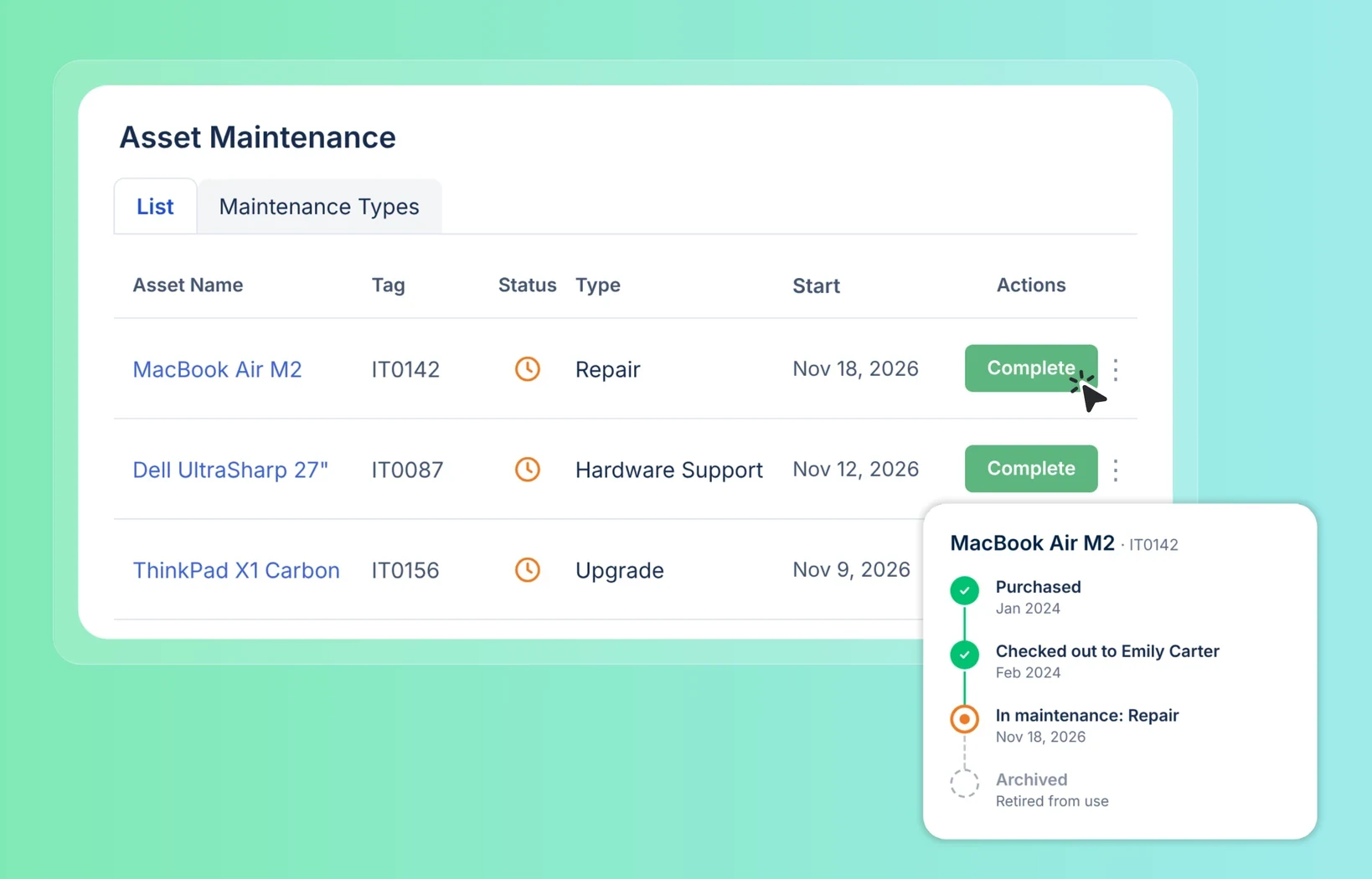
Track repairs through to disposal

  • Log repairs, maintenance and support jobs.
  • Mark jobs complete when assets are back in use.
  • Follow every asset through to disposal.

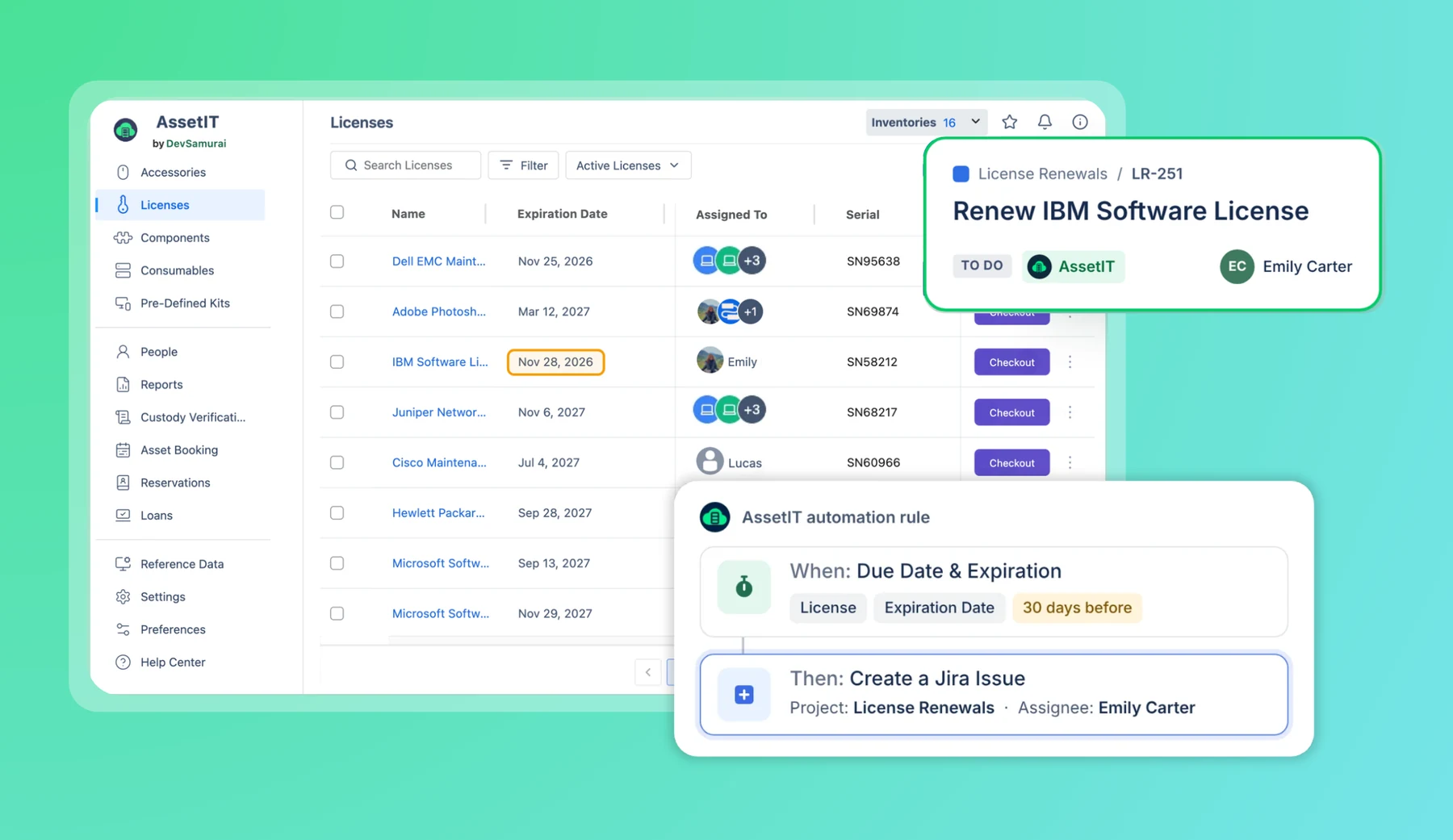
Never miss a license renewal

  • See every license’s expiration date in one list.
  • Choose how many days before expiry to act.
  • Get a renewal ticket in Jira, already assigned.
From a point-in-time inventory to a clear record from procurement to disposal.

Your device data already exists. Bring it into Jira.

Import assets from the systems that already know them, so you stop updating the same information in two places.

Available now

Microsoft Intune

Import Windows and mobile devices from Intune with Asset Importer.

Available now

Jamf

Import Apple devices from Jamf with Asset Importer.

Available now

REST API

Read and write asset data from your own tools and scripts.

Asset Importer is a separate app on the Atlassian Marketplace
Install it next to AssetIT to start importing from Intune and Jamf.

Jira teams trust AssetIT to keep
asset records straight

What admins and IT teams say about AssetIT on the Atlassian Marketplace.

4.7/5
★★★★★
1,500+ installs on the Atlassian Marketplace

Start free, then pay per user as your team grows

Every team gets a 30-day free trial. On Jira Cloud, AssetIT stays free for up to 10 users, and larger teams pay per user through Atlassian.

10
users free
On Jira Cloud

Questions Jira admins ask before installing

Can't find your answer?
Read the documentation.

What does IT asset lifecycle management mean in AssetIT?

Every asset is tracked from procurement to disposal: who has it, what it's linked to in Jira, and every check-out, booking and custody check along the way.

How is AssetIT different from Atlassian Assets?

AssetIT is built for lifecycle tracking without a CMDB setup project. Read the facts behind common comparisons.

Can I import my existing assets?

Yes. You can import assets from a CSV file, or bring device data in from Microsoft Intune and Jamf with the Asset Importer app.

Which Jira projects does AssetIT work with?

AssetIT works across every Jira project type. You can link assets to work items in any project, and Jira Service Management teams can also work with assets from the Customer Portal.

Does AssetIT work on Jira Cloud and Data Center?

Yes. AssetIT is available for both Jira Cloud and Jira Data Center.

How is pricing calculated?

On Jira Cloud, AssetIT is free for up to 10 users. Above that, you pay per user, based on the number of Jira users on your instance, after a 30-day free trial. See pricing on the Marketplace.

What's next for AssetIT?

We're exploring Network Discovery, SaaS Asset Management and Cloud Asset Management. These are roadmap directions, not features available today, and details may change.

AssetIT by DevSamurai

DevSamurai, an Atlassian Gold Marketplace Partner in Japan, extends Atlassian products and implements applications to empower all teams worldwide.

Stop losing track of IT assets from procurement to disposal.

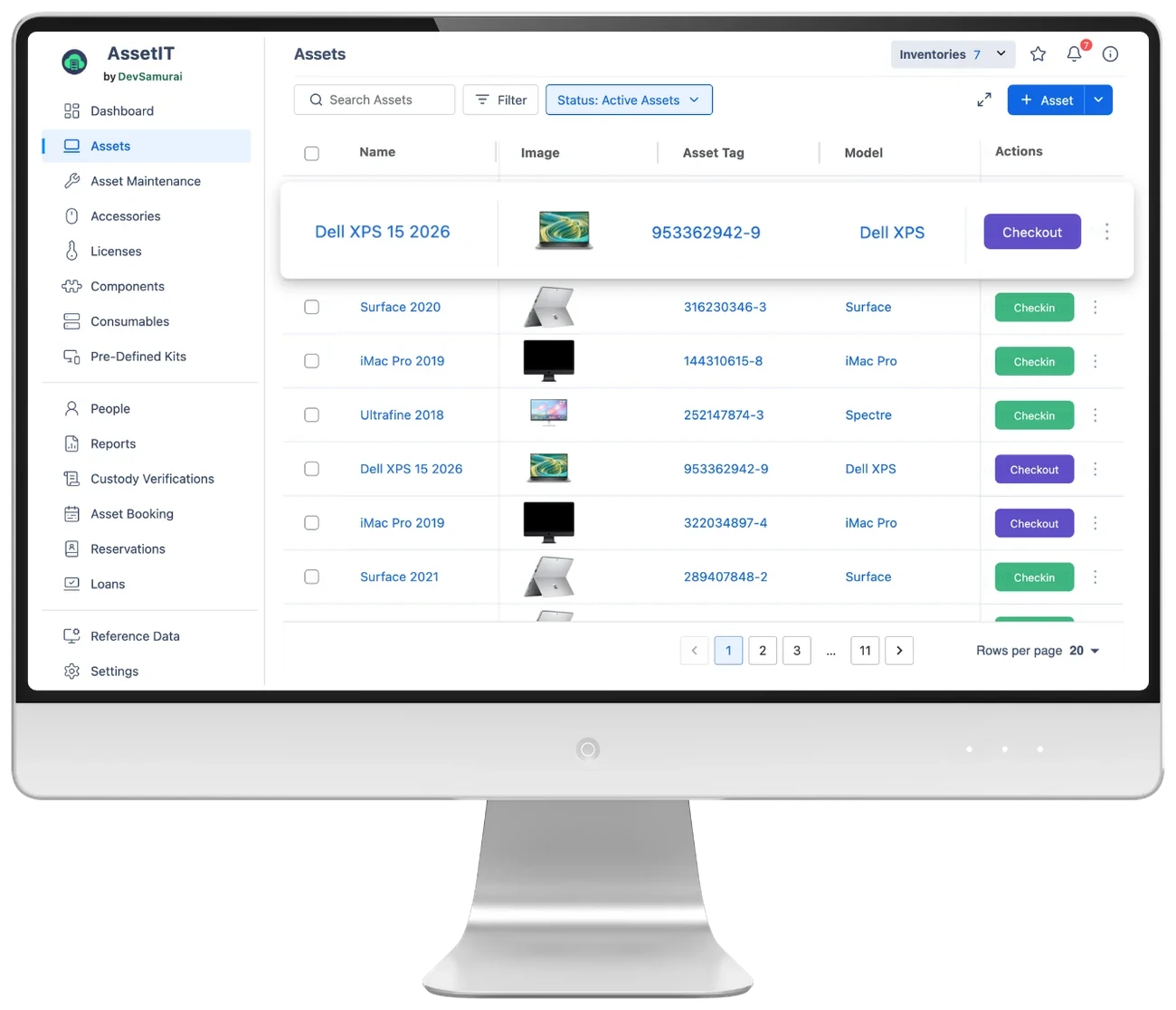
AssetIT Assets list shown on a desktop monitor, with a Dell XPS 15 ready to check out
Menu